This specialty focuses on ensuring that computers, networks, and IT systems run smoothly, securely, and efficiently. It combines three important areas:
-
Computer Maintenance: Diagnosing, repairing, and upgrading hardware and software to keep systems running at peak performance.
-
Networking: Setting up, configuring, and managing networks (LAN, WAN, Wi-Fi) so that devices communicate effectively and securely.
-
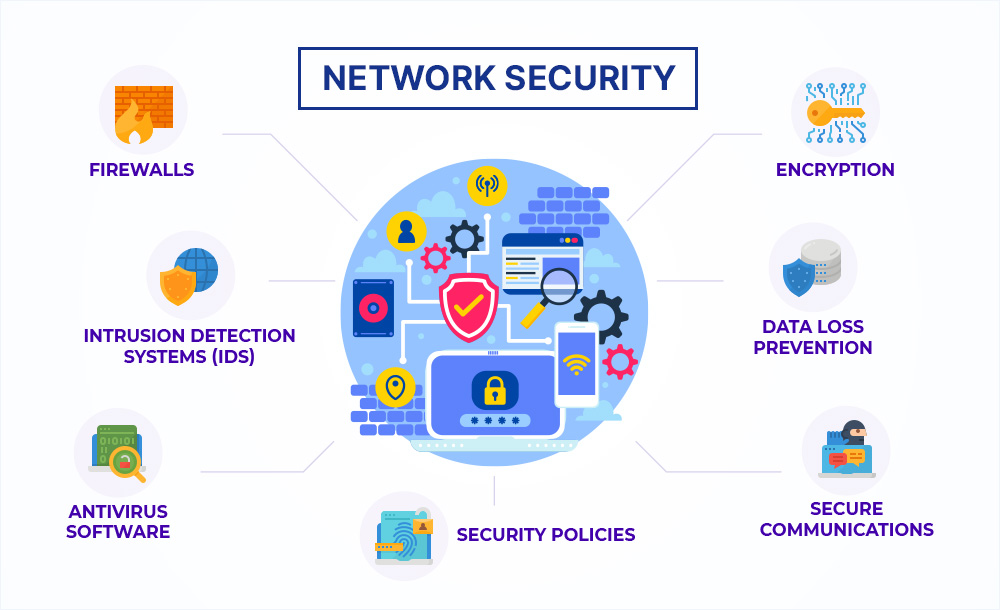
Cybersecurity: Protecting systems, data, and networks from threats like viruses, hackers, and unauthorized access.
This field is essential for IT support roles, system administrators, and cybersecurity specialists who keep businesses and organizations safe and connected.
Roadmap to Computer Maintenance, Networking & Security
1. Computer Hardware & Maintenance Basics
Learn how computers work internally:
-
Components (CPU, RAM, HDD/SSD, motherboard, power supply)
-
Peripheral devices (printers, scanners, external drives)
-
Operating Systems (Windows, Linux basics, macOS overview)
-
Troubleshooting (boot issues, software errors, overheating)
-
Upgrading systems (RAM, storage, OS reinstallation)
Project: Assemble and troubleshoot a basic PC.
2. Software Installation & Maintenance
Build skills in software management:
-
Installing and configuring operating systems
-
Managing drivers and system updates
-
Installing productivity tools & antivirus software
-
Backup & recovery (system restore, imaging tools)
Project: Perform a clean OS installation and configure drivers.
3. Networking Fundamentals
Understand how computers connect:
-
Basics of networks (LAN, WAN, WLAN)
-
IP addressing (IPv4, IPv6, subnetting)
-
Network devices (routers, switches, firewalls, access points)
-
Network cabling (Ethernet, fiber) and Wi-Fi setup
-
Network protocols (TCP/IP, DHCP, DNS, HTTP/HTTPS)
Project: Set up a small office/home network with shared printers.
4. Advanced Networking
Go deeper into network management:
-
VLANs, VPNs, and NAT
-
Server management (DNS, DHCP, File Server, Proxy Server)
-
Cloud networking basics (AWS, Azure, Google Cloud)
-
Network monitoring tools (Wireshark, PRTG, Nagios)
Project: Configure a secure Wi-Fi network with VLAN separation.
5. Cybersecurity Fundamentals
Learn how to secure systems:
-
Common threats (malware, phishing, ransomware, DDoS)
-
Firewalls & antivirus configuration
-
User authentication (password policies, MFA)
-
Encryption basics (SSL/TLS, VPNs)
-
Security patches & system hardening
Project: Secure a computer lab or small office network.
6. Ethical Hacking & Advanced Security
Move into advanced security practices:
-
Penetration testing basics
-
Network scanning & vulnerability assessment
-
Intrusion detection systems (IDS/IPS)
-
Incident response planning
-
Security policies & compliance (GDPR, ISO, HIPAA basics)
Project: Perform a vulnerability scan and create a security report.
7. Maintenance, Monitoring & IT Support
Prepare for real-world IT roles:
-
Remote troubleshooting (RDP, TeamViewer, AnyDesk)
-
Ticketing systems (Helpdesk, ServiceNow, Zendesk)
-
System monitoring & regular audits
-
Disaster recovery planning
-
Documentation & client support best practices
Project: Create an IT support plan for a small business.
Career Outcomes
With skills in Computer Maintenance, Networking, and Security, you can work as:
-
IT Support Specialist
-
Computer Technician
-
Network Administrator
-
Systems Administrator
-
Cybersecurity Analyst
-
Helpdesk Technician
-
IT Consultant
This path is ideal for those who want to work in tech support, system management, or cybersecurity — industries that are in high demand worldwide.